Revolutionizing QA Testing with Artificial Intelligence: Best Practices

In this article
For several years, artificial intelligence has been recognised as a trend-setting technology that continues to shape modern software practices. What once appeared as experimental ideas are now being applied across development and testing workflows to handle growing system complexity. As applications expand in size, behaviour, and user expectations, traditional methods often struggle to keep pace with constant updates and frequent releases.
In quality assurance, this shift is especially noticeable. Teams are expected to validate more features, support multiple platforms, and deliver stable releases within shorter timelines. Artificial intelligence addresses these challenges by introducing systems that learn from data, adapt to changes, and support testers in managing scale. This growing reliance on AI for QA testing approaches marks a clear change in how software quality is maintained and sets the foundation for a new phase of QA testing.
What Is AI for QA Testing?
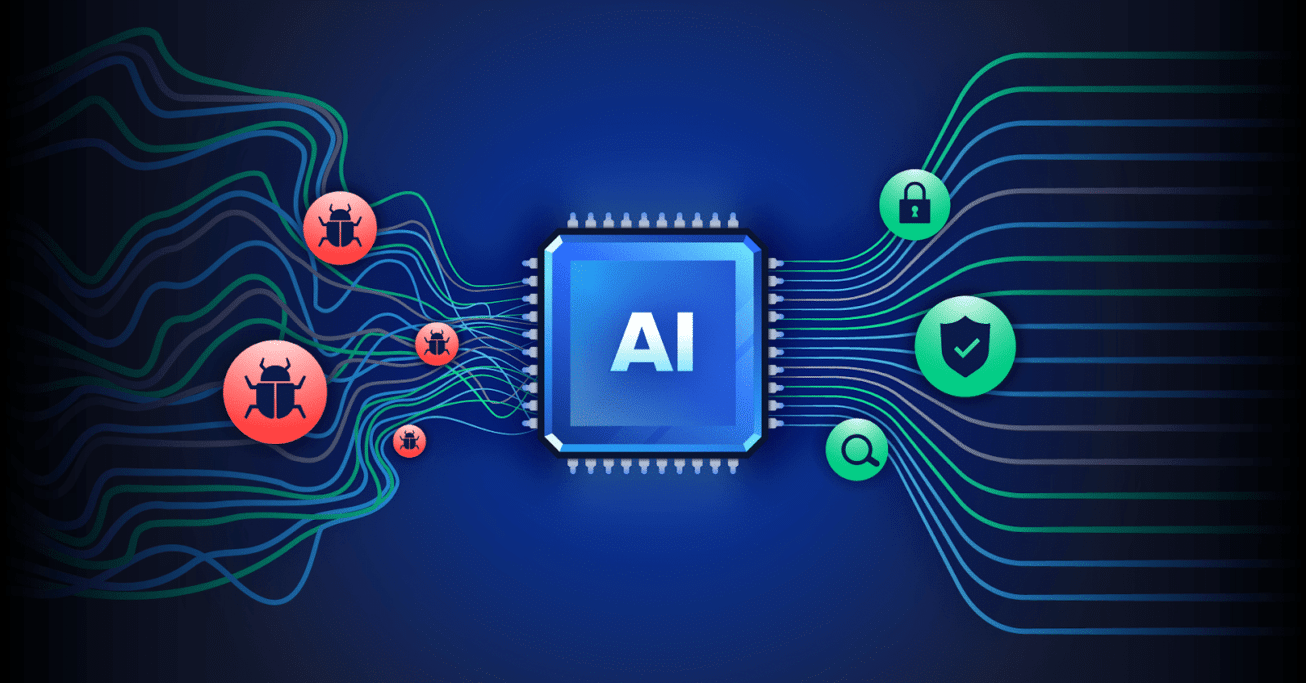
AI for QA testing refers to the use of artificial intelligence methods such as machine learning, natural language processing, computer vision, and Generative AI within the software testing lifecycle. The purpose is to raise test accuracy, speed up execution, and expand test coverage across applications.
Traditional test automation depends on predefined scripts. AI for QA systems review past test results and adjusts as conditions change. These systems can detect failure trends, update test cases automatically, identify user interface changes, and correct broken selectors without manual effort. Some systems are also able to create test scripts from user stories, design files, or requirement documents.
AI agents further support testing activities such as smart test orchestration, defect categorisation, and real-time assistance through QA chatbots. This approach reduces repetitive manual work and helps teams respond faster as applications change.
Benefits of AI for QA Testing
Below, you can find the key benefits of AI for QA testing, explained through its impact on different stages of the testing process.
Effortless Test Planning
Quality Assurance experts spend a large amount of time planning test case scenarios, and this task repeats with every new version release, increasing effort across testing cycles.
AI for QA testing tools simplifies this activity by reviewing the application, moving through each screen, and automatically creating and running test case scenarios. This reduces repeated manual work and shortens planning timelines, giving testers more space to concentrate on deeper quality checks and release readiness.
Well-Researched Build Release
By using AI for QA testing, it becomes possible for AI development companies to study similar apps and software in the market to understand what contributed to their success. This approach looks at existing products, user patterns, and release outcomes to gain clarity on market expectations before moving ahead.
Once these requirements are understood, new test cases can be created to check that the application or software does not break while working toward defined goals. This supports better preparation before release and reduces unexpected issues during deployment, helping teams move forward with greater confidence.
Enhanced Writing of Test Cases
AI raises the overall quality of test cases used in automation testing. The technology supports the creation of practical test cases that are quick to run and simple to manage. Compared to traditional methods, this approach gives teams more room to look beyond fixed scenarios and explore a wider range of testing paths.
With AI for QA testing, large volumes of project data can be reviewed within seconds. This makes it easier for developers to spot new test case possibilities that may have been missed earlier, resulting in better test coverage and stronger confidence in automated test suites.
Visual User Interface Testing
AI supports clearer user interface checks and visual approval across website pages. It can review different types of content on the UI, including layout changes, spacing variations, and visual consistency. These checks are usually hard to automate because design decisions often depend on human judgment.
With ML-based visualization tools, differences in images and UI elements become visible in ways that are difficult for people to detect manually. AI for QA testing reduces the need for manual work related to updating the Document Object Model, building UI structures, and reviewing potential visual risks, resulting in more consistent visual validation across releases.
Resource Optimization
AI for QA testing helps teams use their resources better by assigning testing tasks based on priority, complexity, and required expertise. This approach supports teams working on high-impact tests first and avoids spending time on repetitive or low-value tasks.
AI can also estimate the resources needed for upcoming testing phases by reviewing past test data and project patterns. This supports clearer planning, balanced workload distribution, and smarter use of time and effort throughout the testing cycle.
Improved Test Coverage
AI for QA testing expands test coverage through automatic generation of test cases that reflect how users interact with an application. This helps surface edge cases and less common features that may be missed during manual testing.
By covering a broader range of scenarios, AI supports earlier detection of potential issues and reduces gaps in testing. As a result, the software becomes more stable, with fewer unexpected failures, and users experience smoother and more consistent interactions across different features.
Best Practices Every QA Team Should Follow When Using AI
The points below describe key practices that support the effective use of AI within quality assurance testing. Let’s explore them further:
Know What You Are Getting Into
Before introducing AI into QA testing, teams must understand the level of preparation required. Moving toward AI-driven testing without readiness often results in wasted time and unclear outcomes. Similar to test automation, AI-based testing needs direction from a senior specialist who understands testing fundamentals as well as system behaviour. Lack of experienced guidance can cause teams to misuse tools or misread results. AI may also be applied where it offers a limited benefit. Clear direction from the beginning helps prevent setbacks and supports a controlled transition.
Get Your Test Suite In Order
The output from AI systems reflects the state of the current test data. Incorrect labels, old references, and legacy data within test cases influence the results. This can lead to confusion and wrong conclusions. Cleaning unused tests, correcting inconsistencies, and organising data properly creates a stable base. Proper maintenance leads to more consistent AI testing results.
Write Down Clear Goals Before Implementation
AI adoption should always start with written goals. These goals should cover both business and QA expectations. Business goals may relate to smoother user flows or fewer production issues, while QA goals should define how success will be measured within testing activities. Along with these, teams should document simple benchmarks to track progress after AI is introduced. Even small experiments lose direction without defined objectives, and custom AI work becomes costly when there is no clear plan to guide decisions.
Inform Teams Early and Set Expectations
Introducing AI into testing is not an instant change. It often affects the short-term availability of QA specialists as workflows shift and new responsibilities appear. Project managers, product owners, and leadership teams should be informed early so timelines and expectations can be adjusted. Developers also need visibility into the change, especially if they manage unit tests or provide data that feeds into AI-driven testing.
Review Your Test Management Approach
AI tests give limited value when test management relies on spreadsheets or scattered documents. A dedicated test management system supports structured data, reporting, and links with external tools. When modern testing practices are followed, AI generated results remain organised, traceable, and useful across the QA process.
Start With Limited Use Cases
Teams should avoid applying AI across all testing areas at once. Starting with focused use cases, such as regression testing or test case creation, gives teams time to understand behaviour and limitations. Gradual adoption reduces risk and builds confidence through practical experience.
Which AI Tool Is Best for QA Testing?
Below are some popular AI for QA testing tools used in 2025.
LambdaTest KaneAI
LambdaTest KaneAI is a GenAI-based testing agent that helps teams plan, generate, and refine test cases directly through natural language. Removing the complexity of scripting makes test creation faster and encourages collaboration between both technical and non-technical team members.
Features:
- Intelligent test generation that creates and updates test cases using natural language inputs.
- Smart test planning that turns high-level goals into structured, automated test flows.
- Multi-language code export that works across different frameworks and programming stacks.
- Automated accessibility testing to check UI components against accessibility requirements during test execution.
- Show-Me mode that converts user actions into readable instructions for easier debugging.
- API testing support to include backend coverage along with UI tests.
- Wide device coverage across thousands of browsers, operating systems, and devices.
Aqua Cloud
Aqua Cloud focuses on test management and planning rather than pure automation. It uses AI to organize test cases, optimize execution, and support decision-making across large testing programs. The platform centralizes QA activities and supports teams working on complex products.
Features:
- Quick test coverage updates with requirement-based visibility.
- Centralised test execution with tool and framework integrations.
- Visual dashboards for tracking trends and KPIs.
- Custom reports for both summary and detailed QA views.
- AI assistance for test prioritisation, creation, and duplication checks.
Leapwork
Leapwork is a no-code test automation platform with AI capabilities that allows users to create reusable visual test flows. It supports testing across web, desktop, mobile, Citrix, and mainframe environments. The platform simplifies test creation for both business and technical teams while supporting regression updates, visual debugging, and audit-ready tracking.
Features:
- The platform supports no-code automation through drag-and-drop visual flowcharts.
- Testing can be performed across web, desktop, and API platforms.
- Tests can run in parallel across multiple environments.
- Data-driven testing is supported using Excel files, CSV files, or database inputs.
- Visual debugging is available through execution history and video logs.
- Tests can run in cloud setups or on premises systems for large projects.
Momentic
Momentic is an AI for QA testing platform that combines regression testing, UI automation, and production monitoring within a single workspace. It is suited for teams working with frequent updates, where testing workflows change regularly. The platform is simple to set up and maintain, and its low-code approach supports continuous QA and development work through automatic test updates, helping teams manage releases with greater consistency.
Features:
- Creates logical and visual checks through natural language, helping teams streamline test creation
- Identifies UI elements automatically without depending on XPath, reducing failures caused by UI quirks
- Builds and debugs tests with real-time updates and execution logs for effective analysis
- Adjusts to application changes on its own and addresses flaky tests, strengthening long-term test stability
Conclusion
Artificial intelligence in quality assurance is not about replacing existing testing practices but about extending them to handle growing demands. As applications become more complex and release cycles shorten, AI supports QA teams in managing scale, variation, and change with greater consistency. It brings structure to areas that are difficult to control through manual or script-based testing alone.
At the same time, AI does not remove the need for human involvement. Testers remain responsible for setting direction, validating outcomes, and applying context that automated systems cannot fully understand. QA professionals working with AI need strong analytical thinking and careful review of data-based results. They also need to stay involved in decisions during the testing process. With clear intent, AI changes how QA testing responds to change.
Related: What Are the Top Tools for Testing Web Applications on Both Desktop and Mobile Browsers?